

openlayer.json.
Where environment variables are used
LLM-based tests, Jev-as-a-judge, and custom metrics run on Openlayer in both
development and monitoring mode, so they read these variables in either mode.
What doesn’t read them
- Tracing in your own application. When you
instrument your code for monitoring, the Openlayer SDK runs
in your process and reads your own environment, such as
OPENLAYER_API_KEYandOPENLAYER_INFERENCE_PIPELINE_ID. Set those, and your LLM provider keys, where your application runs. Openlayer’s environment variables don’t reach it. - Code that runs on your machine or in your CI. The CLI uses your local credentials
when you push. If you generate your model outputs before pushing, your
batchCommanddoesn’t run on Openlayer, so it never sees these variables.
How to use them
In development mode runs
When Openlayer runs your AI system on your datasets (see Configuring output generation), theinstallCommand and batchCommand from your openlayer.json
run with every workspace and project variable set as a process environment variable,
under the name you gave it. Read them the way you would read any environment variable:
- Openlayer only runs these commands when the commit doesn’t already include your model outputs. See How Openlayer checks if it should compute outputs.
- Openlayer reads the variables when each run starts, so a change applies from the next commit.
- Openlayer sets
OPENLAYER_API_KEY,OPENLAYER_PROJECT_ID, andOPENLAYER_WORKSPACE_IDin the run for you, so you don’t need to store them. - During the
batchCommand, the SDK’s tracing doesn’t publish to a data source, so traced functions in your run script don’t send data to monitoring.
In custom metrics
TheinstallCommand and runCommand in a
custom metric’s config.json run with the same variables as a
development mode run. Read them from os.environ in your metric’s run.py. This applies
when the metric runs on a development commit and on monitoring data.
In LLM-based tests
LLM-based tests, such as LLM-as-a-judge, call the judge model you select in your project’s Settings → LLM-as-a-judge. The judge authenticates with the pre-defined variables of that model’s provider:- OpenAI —
OPENAI_API_KEY. To send requests to an OpenAI-compatible endpoint, also setOPENAI_BASE_URL, and setOPENAI_CUSTOM_HEADERSto comma-separatedName:valuepairs for any extra headers. See Using OpenAI LLMs as the LLM judge. - Azure OpenAI —
AZURE_OPENAI_ENDPOINT, plus eitherAZURE_OPENAI_API_KEYor, for Microsoft Entra ID, all ofMSAL_TENANT_ID,MSAL_CLIENT_ID,MSAL_CLIENT_SECRET, andMSAL_SCOPES. - Anthropic —
ANTHROPIC_API_KEY. See Using Anthropic LLMs as the LLM judge. - AWS Bedrock —
AWS_REGION, plus eitherAWS_BEARER_TOKEN_BEDROCK, orAWS_ACCESS_KEY_IDandAWS_SECRET_ACCESS_KEY. AddAWS_BEDROCK_ROLE_ARNto have those keys assume a role with Bedrock access. See Using Bedrock LLMs as the LLM judge. - Google —
GOOGLE_API_KEYfor Google AI Studio, or, for Vertex AI,GOOGLE_GENAI_USE_VERTEXAIset totrueandGOOGLE_CLOUD_PROJECT.GOOGLE_CLOUD_LOCATIONdefaults tous-central1, andGOOGLE_APPLICATION_CREDENTIALS_JSONholds a service account key. See Using Google Gemini models as the LLM judge. - Cohere —
COHERE_API_KEY.
In test and session summaries
Test summaries and session summaries use the project’s LLM judge, so they read the same provider variables as LLM-based tests. Without them, Openlayer doesn’t generate the summary.In Jev-as-a-judge
Jev-as-a-judge readsTYPESAFE_API_KEY,
listed under Other in the pre-defined variables. Openlayer resolves the key from the
project, then the workspace, then a platform key. A platform key still runs the test,
and the rows are judged through Openlayer’s TypeSafe account. If no key resolves, the
test is skipped.
Managing environment variables
Workspace-level environment variables
Workspace-level environment variables are shared across all projects in your workspace. To set them, navigate to Settings → Environment. The page has three tabs: Pre-defined variables, Secret variables, and Plain variables.Pre-defined variables
Openlayer provides pre-defined fields for the variables listed in LLM-based tests, grouped by provider (OpenAI, Azure OpenAI, Anthropic, AWS Bedrock, Cohere, Google, Groq, Mistral, and Other). Each group links to that provider’s page on where to find the keys.Secret and plain variables
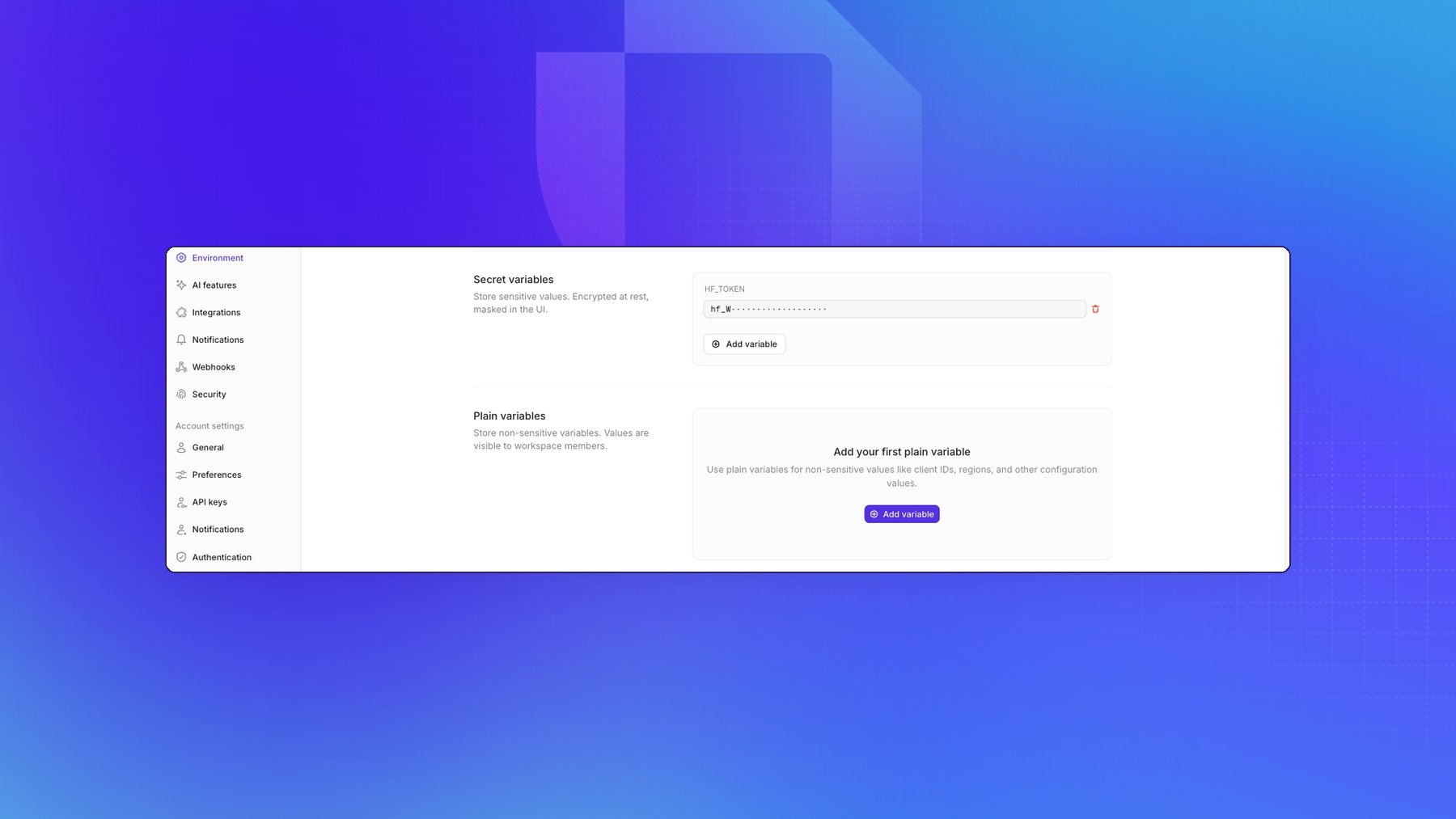
Beyond the pre-defined fields you can add your own variables, in two kinds:
New variables are secret unless you add them under Plain variables. A secret value can be
replaced but never read back, so use plain for anything a teammate may legitimately need to look up,
and keep credentials secret. Both kinds reach your code the same way.
Project-level environment variables
Project-level environment variables work the same way as workspace-level ones, but are specific to a single project. To set them, open your project and navigate to Settings → Environment. The page has the same three tabs as the workspace page.When the project and the workspace set a variable with the same name, the
project value wins everywhere in that project. On the project page, a
pre-defined variable with no project value but a workspace value shows
Inherited from workspace. One that has its own project value while the
workspace also sets it shows Overriding workspace.
Custom CA certificates
If your organization uses custom Certificate Authority (CA) certificates for secure connections, for example to a model behind an internal gateway, add each certificate as a variable whose name starts withCUSTOM_CA_CERT_, followed by a descriptive suffix
(for example, CUSTOM_CA_CERT_INTERNAL). Paste the certificate in PEM format as the
value. Add it on the workspace page, or on the project page for a single project.
Openlayer trusts these certificates in:
- Development mode runs and custom metrics — they’re installed in the run environment before your commands start.
- LLM judges — they’re trusted for the judge’s connections to your LLM provider.
You can add multiple certificates with different suffixes (for example,
CUSTOM_CA_CERT_1, CUSTOM_CA_CERT_2). All variables matching
CUSTOM_CA_CERT_* are trusted.Verifying a provider key
The Environment page stores keys but doesn’t verify them. To check that a key reaches its provider, open your project and go to Settings → LLM-as-a-judge, which holds the defaults for LLM-based tests:- Default LLM judge — the default LLM for computing LLM-based metrics.
- Default LLM — a picker for the judge model, such as
OpenAI / gpt-4.1-mini-2025-04-14. Choose one of the predefined models it lists, or type a model name and choose Select. - Test connection — checks that Openlayer can reach the selected model.